

Quick answer: an ultralight portable 4K touchscreen monitor gives you a 3840×2160 panel, touch input, and travel weight under 2 pounds in one slab — and in 2026 the most reliable way to buy that is the UPERFECT 15.6-inch 4K touchscreen (around $300). If 1080p is enough for your workflow, the INNOCN 15.6-inch touchscreen saves you more than a hundred dollars.
This post reviews the Desklab — the ultralight 4K touchscreen that started this category’s buzz — and then shows the verified 2026 alternatives that actually match its specs on Amazon. For the wider category, our cheap portable monitors guide and the MacBook portable guide cover every budget.
What an ultralight 4K touchscreen must deliver
| Requirement | Realistic 2026 target |
|---|---|
| Resolution | 3840×2160 (true 4K), not upscaled 1080p |
| Weight | Under 2 lbs (0.9 kg) including cover |
| Touch | 10-point capacitive, works over USB-C single cable |
| Connectivity | USB-C with DisplayPort Alt Mode + power, mini-HDMI fallback |
| Color | 100% sRGB minimum; 125% sRGB class for design work |
Desklab review: the original ultralight 4K touchscreen
Desklab made its name on three claims: terrific resolution, near-instant response, and universal compatibility — and on the resolution claim it delivers. The 15.6-inch 4K panel is genuinely sharp: at 282 pixels per inch, text rendering beats every 1080p portable on this page, photos look print-preview accurate, and there is no visible pixel grid at working distance.

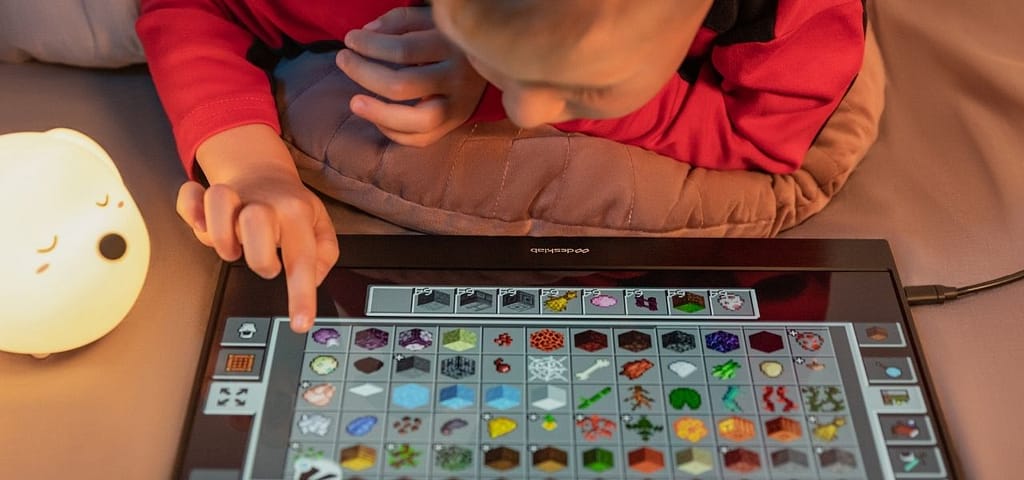
Contrast holds up better than most portable IPS panels, dark scenes stay readable, and the anti-glare finish keeps reflections manageable. Touch response through the USB-C single-cable setup feels immediate — scrolling, sketching, and Windows tablet-mode gestures all behave like a first-party laptop screen.
Connectivity and compatibility
One USB-C cable carries video, touch data, and power on modern laptops; mini-HDMI plus a second USB-C covers older machines, phones, consoles, and cameras. That universal compatibility is the Desklab’s quiet strength — it behaves the same on a MacBook, a Windows ultrabook, a Steam Deck, or a phone that supports DisplayPort Alt Mode. If your laptop has a single port, budget for a compact USB-C adapter or hub so you can charge while connected.
Weight and build
The panel itself sits near the 1.5-pound mark and slips into a laptop sleeve — genuinely ultralight for the 4K class, where rivals often run heavier. The trade-off at this weight is a thin chassis that flexes slightly; a folio cover or kickstand case is effectively mandatory.
Where Desklab stands in 2026
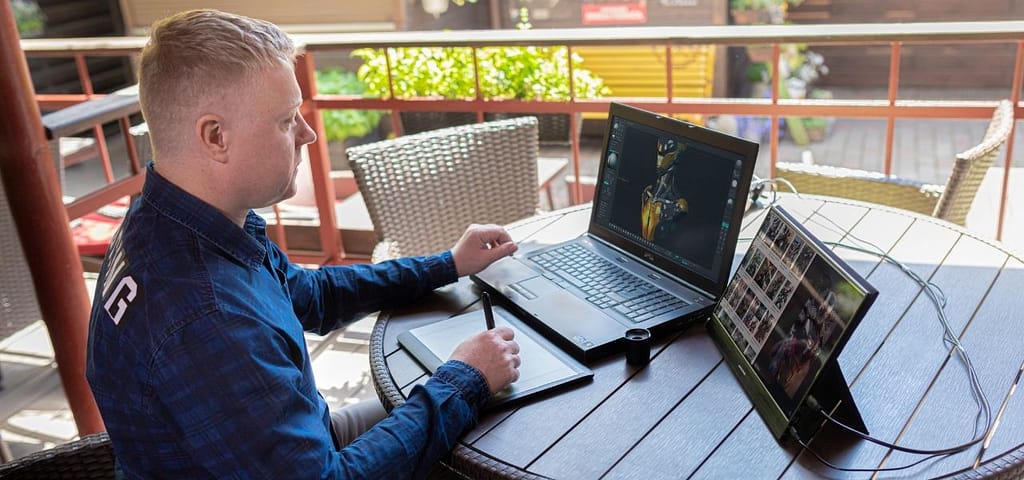
Desklab sells direct through its own site rather than Amazon, which matters in two ways: you pay a premium over the street price of spec-matched rivals, and returns depend on the company’s own policy rather than Amazon’s. The panel is good — but the table below shows what the same money buys from brands with mainstream retail presence, all verified live and selling on Amazon at the time of writing.
Verified 4K and 1080p alternatives
| Pick | Price | Panel | Best for |
|---|---|---|---|
| UPERFECT 15.6″ 4K Touchscreen | ~$300 | 15.6″ 4K touch, 450 nits, 125% sRGB | The true Desklab spec-match |
| INNOCN 15.6″ Touchscreen | ~$170 | 15.6″ FHD IPS touch | Best value touch screen |
| AOC 16T30 (16″) | ~$190 | 16″ FHD IPS touch, kickstand | Biggest screen, built-in stand |
| ARZOPA A1 (15.6″) | ~$110 | 15.6″ FHD IPS, ultra-slim | Non-touch budgets |
The UPERFECT is the honest Desklab alternative: same 15.6-inch 4K touch formula, 450 nits of brightness (brighter than most portables), 125% sRGB coverage for design work, and Amazon retail. The INNOCN and AOC cover the touch-without-4K crowd; the ARZOPA covers the under-$120 crowd. Designers torn between portables and desk panels should also read our budget graphic design monitor guide.
FAQ’s
Is a 4K portable monitor worth it over 1080p?
For photo and video work, yes — the pixel density is the entire point. For documents, code, and browsing, 1080p portables deliver 90% of the experience at half the price, and your laptop’s GPU also drives them more easily.
Do 4K portable monitors work with phones and consoles?
Modern ones do — through USB-C DisplayPort Alt Mode on phones and mini-HDMI on consoles like the Switch or Steam Deck. Check that the specific model lists both connections before buying; the picks in the table above do.
Can one USB-C cable really do video, touch, and power?
Yes, on laptops and phones with a full-function USB-C port (DisplayPort Alt Mode). Older USB-C ports that only carry power need the HDMI fallback path plus a separate USB cable for touch.
Final thoughts
Desklab proved an ultralight 4K touchscreen could fit in a laptop sleeve, and 2026’s market has caught up to it with retail availability and lower prices. If you want that exact experience backed by mainstream retail, the UPERFECT 4K touchscreen is the verified pick; if touch matters more than resolution, the INNOCN is the value play. Pair whatever you choose with the desk advice in our ergonomic setup guide, and browse the full monitor market in our monitors hub.


