Quick Answer: A USB-C adapter lets one cable carry display video, data, and laptop charging between your monitor setup and computer. For workstation use, get a USB-C hub with HDMI/DisplayPort output plus 65W+ power delivery – that single cable replaces three.
Table Of Content
What Is a USB Type-C Adapter?
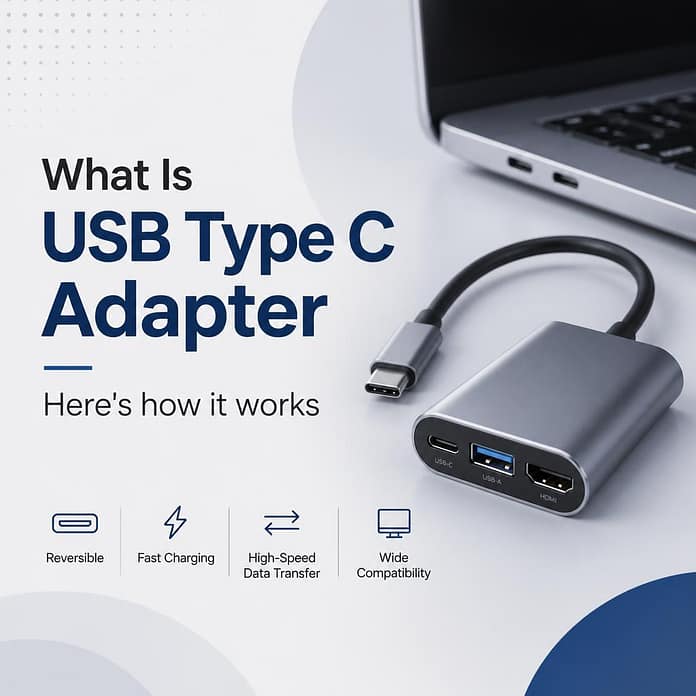
USB Type-C is just the connector shape – the small reversible plug on modern laptops, phones, and monitors. An adapter or hub converts that port into the connections your workstation needs: HDMI or DisplayPort for the monitor, USB-A for keyboard and mouse, Ethernet for stable internet, and pass-through charging so your laptop stays powered.
The magic modes to know: DisplayPort Alt Mode (carries video over USB-C) and USB Power Delivery (up to 100W+ charging). If your laptop port lacks Alt Mode, no adapter in the world will output video from it – check specs first.
Adapter vs Hub vs Dock
| Simple adapter | USB-C hub | Docking station | |
|---|---|---|---|
| Does | One job (USB-C to HDMI) | Video + USB + charging | Everything incl. dual 4K + Ethernet |
| Power delivery | Usually none | 65-100W | 90W+ |
| Price | Under $20 | $30-80 | $150+ |
| Best for | Presentations, travel | Home workstation | Permanent desk setup |
What to Check Before Buying
- Video output spec: need 4K 60Hz? Confirm the hub supports it – cheap ones cap at 4K 30Hz, which feels laggy for desktop use.
- Power delivery wattage: 65W covers ultrabooks; 16″ MacBook Pro and gaming laptops want 90-100W.
- Dual monitors: most hubs mirror on MacBooks (macOS limitation on M1/M2 base chips) – verify MST/multi-stream support for your OS.
- Cable quality: the included cable matters; uncertified cables cause flicker at high resolutions.
Pairing with a new screen? See dual monitor workspace setup and HDMI vs DisplayPort.
Frequently Asked Questions
Q: Why does my USB-C to HDMI show no signal?
A: Three usual causes: the laptop port lacks DisplayPort Alt Mode, the hub needs external power, or the cable is charge-only. Test with another cable first.
Q: Can one USB-C run two monitors?
A: On Windows with MST – yes. On base Apple Silicon (M1/M2/M3), one external display per port – use two ports or DisplayLink.
Q: Does USB-C carry audio to the monitor?
A: Yes, audio rides along with the video signal – select the monitor as output in sound settings.
Key Takeaways
- One good USB-C hub replaces video cable + charger + USB dongles.
- Check Alt Mode, 4K60 support, and wattage before buying.
- Mac users: verify dual-monitor limits for your exact chip.