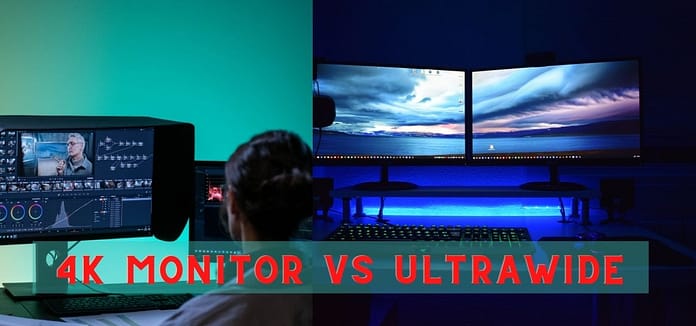
Quick Answer: Choose 4K for sharpness (photo, design, movies) and ultrawide for multitasking and immersion (coding, timelines, sim racing). In 2026 the smart money is 27″ 4K IPS for creators and 34″ 1440p ultrawide for multitaskers – specs and verdicts below.
Table Of Content
4K vs Ultrawide: The Core Difference
4K (3840×2160) packs four times the pixels of 1080p into a 16:9 screen – maximum sharpness and detail. Ultrawide (usually 3440×1440, 21:9) trades vertical pixels for horizontal space – fewer total pixels than 4K but a wider canvas. Neither is “better”; they solve different problems.
| 27″ 4K IPS | 34″ Ultrawide 1440p | |
|---|---|---|
| Total pixels | 8.3 MP (sharpest) | 5.0 MP (wider) |
| Best for | Photo, design, movies, text | Code, timelines, trading, racing |
| GPU load | Heavy (~88% more than 1440p) | Moderate |
| Typical price 2026 | $350-600 | $400-700 |
| Console fit | Perfect (native 4K) | Black bars (16:9 output) |
How Does Ultrawide Compare to a 4K Monitor for Work?
For desk work, ultrawide usually wins: a 34″ 1440p screen fits code editor + browser + chat without overlap or bezels, while 4K at 27″ forces window juggling (or fractional scaling quirks in Windows). Video editors get the biggest win – full timeline visible without scrolling. The exception is detail work: photo retouching, CAD, and fine typography visibly benefit from 4K pixel density. Hybrid answer gaining popularity in 2026: a 34″ ultrawide primary plus a 27″ 4K secondary.
For Gaming and Movies?
- Story/cinematic games: 4K HDR on a 27-32″ IPS – maximum eye candy per dollar.
- Sim racing / flight sims: ultrawide (or super-ultrawide) – peripheral vision you cannot get otherwise.
- Competitive shooters: neither – get 27″ 1440p 240Hz+ instead (refresh guide).
- Movies: 4K 16:9 matches film masters; ultrawide crops or bars cinematic 21:9 content inconsistently.
- Consoles: 4K, no contest – PS5/Xbox output 16:9 (see console monitors).
What About 4K Ultrawide and Super-Ultrawide?
The lines blur in 2026: 38″ 3840×1600 panels pair near-4K sharpness with ultrawide width (premium price), and 57″ dual-4K super-ultrawides exist for no-compromise budgets – see our super-ultrawide guide. If budget allows one screen to do everything, 38″ 1600p is the current enthusiast answer.
Frequently Asked Questions
Q: Is ultrawide better than 4K for productivity?
A: Usually yes – horizontal space helps real workflows more than pixel density. Detail-critical work (photo, CAD) is the exception.
Q: Can I watch Netflix in fullscreen on ultrawide?
A: Most shows are 16:9, so expect side bars; 21:9 films fill the screen beautifully.
Q: Which is easier on the GPU?
A: 3440×1440 ultrawide – about 60% of 4K’s pixels, so 60%+ higher FPS on the same card.
Q: Should I get 4K 60Hz or 1440p 144Hz for gaming?
A: 1440p 144Hz for most gamers – smoothness beats resolution in motion. 4K for cinematic single-player with a strong GPU.
Key Takeaways
- 4K = sharpness (design, photo, movies, consoles). Ultrawide = space (code, timelines, sims).
- Ultrawide is easier on GPUs and better for multitasking.
- One-screen answer for enthusiasts: 38″ 3840×1600.